Appliances & Heat
Label Printer
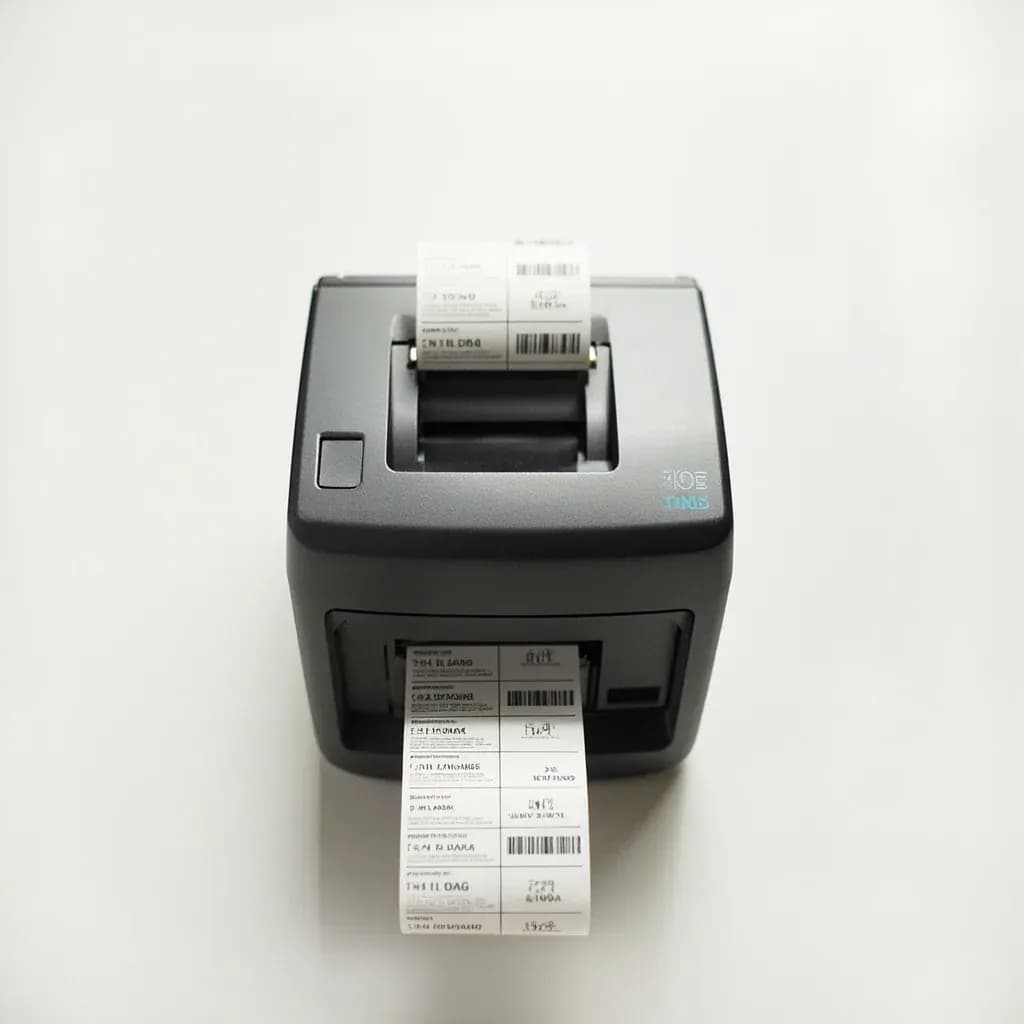
A small thermal printer that prints dated, named labels for prep, batches, and food-safety rotation.
A label printer is a compact thermal or inkjet machine that prints adhesive labels on demand. Kitchens and producers use it to mark prep containers and batches with names, dates, and lot numbers for stock rotation and food-safety traceability. Many models connect to apps or scales so labels auto-fill with use-by dates and product details.
A label printer in the back of house is a small thermal printer that produces dated, named, often barcoded stickers for every container, pan, and bag that leaves prep. Most kitchen units use direct thermal technology: a heated print head darkens a coating on special paper, so there is no ink, toner, or ribbon to change. That simplicity is the point — a cook can pull a label, stick it on a hotel pan, and have a permanent, legible record of what is inside and when it was made.
Label printers have moved from a convenience to a near-mandate in professional kitchens because food-safety codes (FDA Food Code §3-501.17, EU Regulation 1169/2011, and equivalents in the UK and Canada) require ready-to-eat, time/temperature-control-for-safety (TCS) foods held longer than 24 hours to be marked with a prep or use-by date. A printed label also doubles as a traceability tool: when a batch number is on every container, a contaminated lot can be pulled in minutes instead of throwing out a walk-in.
In practice, a well-run kitchen pairs a desktop unit at the prep station with a handheld or Bluetooth printer on the line, and stocks three label papers — standard, freezer-grade, and dissolvable — because each behaves very differently on a wet Cambro, inside a blast chiller, or coming out of a dishmachine.
Alternatives
Types & varieties
Plug-in unit at the prep station (Zebra ZD410/ZD420, Epson TM-L100); fast, 2–4" rolls, the workhorse for batch and ingredient labeling.
Uses a wax or resin ribbon for smudge- and freezer-resistant output; chosen for long-life labels and outdoor/cold-storage goods.
Battery-powered tape cartridges (Brother P-touch PT-D210/PT-D600); quick spot labels for spice jars, shelf edges, and small containers.
Pocket-sized units (Brother PJ series, Zebra ZQ630) that pair with a phone or tablet for line-side portioning and bump labels.
Drop-tested handhelds (Brady BMP21-PLUS, BMP51, BMP61) that print on vinyl, polyester, and freezer-grade cartridges in cold, wet, or rough environments.
Bundle of printer plus dissolvable, freezer, and day-dot stickers, often with template software preloaded for date coding.
Paper (cheap, short term), freezer-grade adhesive, removable, dissolvable (water-soluble in ~30 seconds), tamper-evident, and pre-printed color day dots.
Setting up a kitchen-wide labeling system
The printer is only as useful as the routine around it. A consistent format and the right stock for each job are what turn a pile of stickers into a working food-safety system.
- Standardize the layout: product name on the left, prep date in the center, use-by date on the right, staff initials at the bottom. Anyone walking into the walk-in should be able to read any label instantly.
- Keep three stocks on hand — standard paper for dry storage, freezer-grade acrylic adhesive for anything going below –10 °C / 14 °F, and dissolvable for reusable hotel pans and Cambros.
- Pair every printed label with a day-dot color sticker; the color survives the freezer and is legible from across the room when a printed date has iced over.
- Keep a spare roll of the most-used size at each station; running out mid-service is the single most common operational failure.
- Use red-bordered or pre-printed "ALLERGEN" stock for nut, dairy, gluten, and shellfish flags so they cannot be confused with a routine date label.
Common uses
Tips & pitfalls
- Print two dates, not one — Prep or freeze date and a separate use-by or discard date. Single-date stickers are the most common audit finding.
- Use dissolvable labels for reusable containers — They rinse off in 30–90 seconds in the dishmachine and leave no sticky residue on Cambros or hotel pans.
- Switch to freezer-grade adhesive below –10 °C / 14 °F — Standard rubber-based adhesive turns brittle and drops off in the blast chiller; acrylic-based freezer stock stays put.
- Keep labels away from ovens, salamanders, and dishwashers — Heat above roughly 80 °C / 176 °F will turn direct-thermal print fully black or blank it out.
- Wipe the print head with isopropyl alcohol every few rolls — Oil and food residue cause faint, streaked printing that fails inspection even when the date is correct.
- Run a test label after every roll change — Rolls installed upside-down or backward print blank with no error message, and the mistake usually surfaces mid-service.
- Do not fall back on handwritten stickers — Inconsistent legibility is itself an inspection red flag and undermines the whole traceability argument.
- Calibrate the printer to your label width — Prevents wasted stock, crooked prints, and the slow drift of print position that erodes label readability over time.
Good to know
- Printing technology
- Direct thermal: a heated print head darkens heat-sensitive paper. No ink, toner, or ribbon required.
- Common label widths
- 12 mm (½"), 24 mm (1"), 36 mm (1.4"), 50 mm (2"), and 100 mm (4") rolls cover most back-of-house needs.
- Resolution
- 203 dpi is standard; 300 dpi appears on desktop units that print barcodes or very small fonts.
- Label shelf life
- Standard direct-thermal prints fade in 6–12 months under kitchen conditions; thermal-transfer or synthetic stocks last years.
- Working temperature
- Most direct-thermal labels function from roughly –20 °C to 80 °C (–4 °F to 176 °F); above that range the print darkens or blanks out.
- Key food-safety driver
- FDA Food Code §3-501.17 and EU 1169/2011 require date marks on ready-to-eat TCS foods held longer than 24 hours.
- Day-dot system
- Color-coded stickers (red/blue/yellow/green/white/black/orange) for Mon–Sun, plus prep and discard dots, used alongside printed labels.
- Approximate cost
- Handheld units $40–80; desktop food-label printers $150–500; rugged industrial portables $300–700; roughly $0.01–0.05 per paper label.
Also called
Labeling Machine · thermal label printer
Related

Stovetop
The everyday burners where most cooking actually happens

Oven
Enclosed dry heat for roasting, baking, and braising

Grill
Live-fire or gas grates for char, smoke, and high heat

Smoker
Low, slow heat and wood smoke for barbecue and brisket

Air Fryer
Countertop convection that crisps with little or no oil

Slow Cooker
Set-and-forget low heat for stews, beans, and braises

Pressure Cooker
Sealed steam pressure that cooks tough food in a fraction of the time

Rice Cooker
Foolproof, perfectly steamed rice every single time